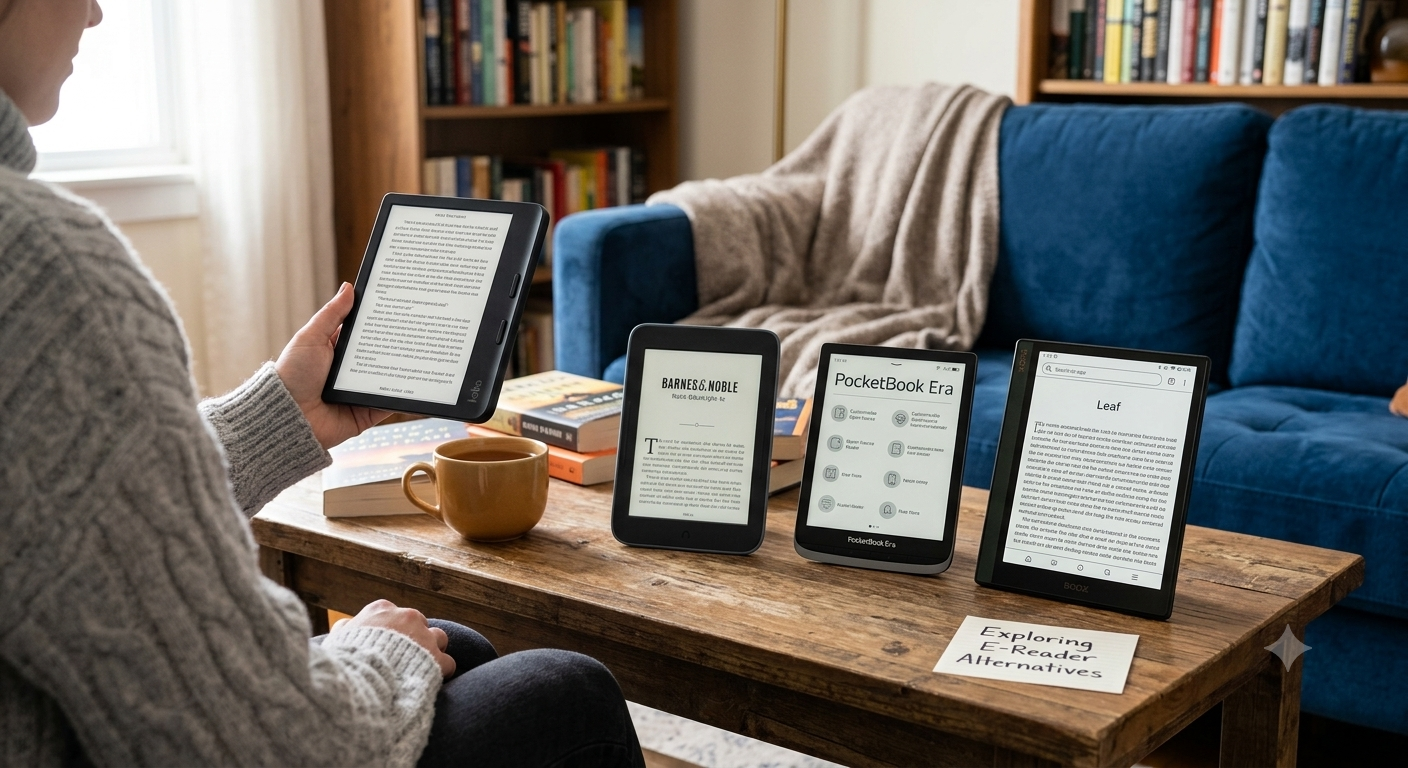
What Is the Cheapest Alternative to Kindle Unlimited?
Last updated: October 2026. Prices and plans change, so check each service before you subscribe.
⚡ Quick Answer
Cheapest paid option: Kobo Plus Read at $7.99 per month. Kindle Unlimited costs $11.99 per month.
Cheapest overall: Libby and Hoopla are free with a participating public library card.
Also worth a look: Everand, from $11.99 per month, if you want ebooks, audiobooks and podcasts in one app.
Need a Kindle Scribe alternative? Kobo Elipsa 2E for reading, reMarkable Paper Pro for writing, BOOX Note Air5 C for apps.
For a paid subscription, Kobo Plus Read at $7.99 per month is one of the clearest lower-cost alternatives currently available in the U.S. Kobo also offers a $9.99 Read & Listen plan for readers who want both ebooks & audiobooks.
But there’s another answer that shouldn’t be overlooked: your public library. If you have access to a participating library that offers Libby or Hoopla, you may be able to borrow ebooks & audiobooks without paying for another commercial subscription. Availability & borrowing rules vary by library, so there isn’t one universal catalog for every U.S. reader.
That makes the question more interesting than simply comparing monthly prices. A reader who consumes five or six books a month may get excellent value from a subscription, while someone who reads only one or two books may save more by borrowing through a library or purchasing individual ebooks during sales.
The best way to compare these services is therefore to calculate cost per book you actually read, rather than choosing the service with the lowest advertised monthly price.
Kindle Unlimited vs the Alternatives: Price at a Glance
| Service | U.S. price | What you get | Best for |
|---|---|---|---|
| Kindle Unlimited | $11.99 / month (new members are often offered a 30-day trial) | Kindle ebook catalog on Kindle devices and the Kindle app | Heavy readers who stay in Amazon’s ecosystem |
| Kobo Plus Read | $7.99 / month | Ebook subscription; no commitment, cancel anytime (per Kobo) | The cheapest paid option |
| Kobo Plus Read & Listen | $9.99 / month | 1.5M+ ebooks and 150,000+ audiobooks (per Kobo) | Readers who switch between reading and listening |
| Everand | From $11.99 / month (1 unlock); $16.99 (3); $28.99 (5) | Monthly unlocks from 1.5M+ ebooks and audiobooks, plus a curated unlimited selection and podcasts | Ebooks, audiobooks and podcasts in one app |
| Libby | Free with a library card | Ebooks, audiobooks and magazines from your library; send to Kindle in the U.S. | Budget readers who can wait for holds |
| Hoopla | Free with a participating library card | Ebooks, audiobooks, comics, movies, TV, magazines and music | Households that want media variety |
| Prime Reading | Included with Amazon Prime | A smaller rotating selection of Kindle books, magazines and comics | Existing Prime members |
Prices checked October 2026 and may change. Kobo Plus details are as stated by Kobo.
Cost Per Book Calculator
Subscriptions only save money if you read enough. Slide to your monthly reading pace to see what each option really costs per book.
📚 How many books do you read each month?
4 books / month
Assumes you read every book through the service. Library wait times, Everand unlocks and promotional trials are not included. Prices as of October 2026.
Kobo Plus vs Kindle Unlimited
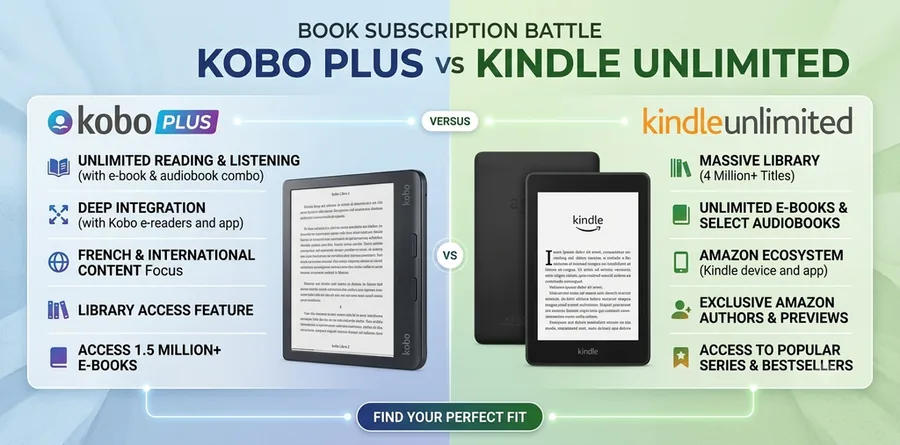
Kobo Plus is one of the closest alternatives to Kindle Unlimited because both are designed around subscription-based digital reading. Kobo’s U.S. service currently offers Read, Listen, & Read & Listen plans. The Read & Listen option costs $9.99 per month & provides access to more than 1.5 million ebooks & more than 150,000 audiobooks, according to Kobo.
Kobo Plus is especially interesting if you want to move away from Amazon without abandoning the convenience of a dedicated eReader ecosystem. Kobo sells its own readers, apps, ebooks, & audiobooks, so you can keep your reading experience within one alternative platform.
There is an important limitation, though: a book being available for purchase from Kobo doesn’t automatically mean that it is included with Kobo Plus. Subscription catalogs are curated, & the specific titles included can change.
Before subscribing, search for several books you already want to read. Check your favorite authors, genres, & recent releases. That small test can tell you more about the service’s actual value for you than a headline catalog number.
Why Kobo Plus May Be Better for Some U.S. Readers
Kobo Plus makes the most sense for people who want a straightforward subscription & don’t want to pay more than necessary for access to ebooks. The $7.99 Read plan is particularly attractive if audiobooks aren’t important to you. The $9.99 Read & Listen plan becomes more compelling when you regularly switch between reading & listening.
Kobo also offers several eReaders in the U.S. market. Its current lineup includes the Clara BW at $159.99, Clara Colour at $179.99, Libra Colour at $259.99, Sage at $269.99, & Elipsa 2E at $399.99.
That gives Kobo an advantage for readers considering both a Kindle Unlimited alternative & a Kindle alternative device. You can change both the subscription & hardware ecosystem rather than replacing only one part of your reading setup.
Is Everand a Good Alternative to Kindle Unlimited?
Everand is a strong alternative for readers who want both ebooks & audiobooks, although its subscription model works differently from a simple unlimited-reading service. Everand’s plans use monthly unlocks for part of its catalog while also providing unlimited access to a selection of ebooks, audiobooks, & podcasts.
The service is therefore better suited to people who want a broad digital media library rather than readers who only want unlimited access to ebooks.
That distinction matters. If most of the titles you want require an unlock, the advertised starting price may not tell you the whole story. If your preferred books are included in the unlimited selection, however, Everand can be convenient.
For U.S. readers, the smartest approach is to search Everand for several titles before subscribing. Compare those results with Kobo Plus & your local library.
In other words, don’t ask “Which subscription has the biggest library?” Ask “Which subscription has the biggest library of books I actually want?”
Is Libby a Free Alternative to Kindle Unlimited?
Libby can be one of the best alternatives to Kindle Unlimited for U.S. readers who have access to a participating public library.
Instead of paying for a commercial subscription, you borrow ebooks & audiobooks through your library. The exact selection, loan periods, number of simultaneous checkouts, & wait times depend on the library system.
This is where Libby differs from Kobo Plus or Kindle Unlimited. You don’t subscribe to a giant commercial catalog & then read whatever is included. You’re accessing the digital collection your library has licensed.
That can be an incredible value for readers who are comfortable waiting for popular titles. A new bestseller may have a long hold queue, but an older title may be available immediately.
If your goal is to reduce your annual reading expenses, check your library before signing up for another subscription.
How to Start Borrowing With Libby
- Get a library card. Join your local public library if you haven’t already. A card is all you need.
- Install Libby. Download the free Libby app for iOS or Android, or read in your browser at libbyapp.com.
- Find your library. Search for it by name or location and sign in with your card number.
- Borrow or place a hold. Available books open instantly. If a title is checked out, place a hold and Libby notifies you when it’s ready.
- Prefer a Kindle? In the U.S., tap “Read With…” and choose Kindle, then sign in to Amazon to finish sending the book. Newer Kobo eReaders can also borrow from Libby directly.
Is Hoopla a Good Kindle Unlimited Alternative?
Hoopla is another library-based option that can help U.S. readers reduce their digital reading costs. The platform says users can borrow ebooks, audiobooks, comics, movies, TV shows, magazines, & music with a participating library card.
That makes Hoopla different from both Kindle Unlimited & Kobo Plus. It isn’t primarily an ebook subscription service. It’s a digital extension of participating public libraries.
One advantage is variety. If your household uses digital entertainment beyond books, Hoopla can provide access to multiple media categories from one library service.
The main limitation is that catalog availability depends on your library. Two people in different U.S. cities may have very different experiences.
For that reason, Hoopla is best viewed as a cost-saving companion to your reading strategy rather than a guaranteed one-for-one Kindle Unlimited replacement.
Already Have Amazon Prime? Check Prime Reading First
Prime Reading is included with an Amazon Prime membership at no extra charge. It offers a rotating selection of Kindle books, magazines and comics. The catalog is much smaller than Kindle Unlimited’s, and titles come and go, but if you already pay for Prime, check it before adding another subscription.
Which Service Fits You? Best For and Watch Out For
📘 Kobo Plus
Best for: Readers who want a straightforward, low-cost subscription: $7.99 per month for Read, $9.99 for Read & Listen.
Watch out: Not every Kobo title is included, and the curated catalog can change. Test a few books first.
🎧 Everand
Best for: Readers who want ebooks, audiobooks and podcasts in one library.
Watch out: Plans start at $11.99 per month and use monthly unlocks, so many titles may need an unlock.
📚 Libby
Best for: Readers with a participating library who don’t mind waiting for popular titles.
Watch out: Selection, loan periods and wait times depend on your library.
🎬 Hoopla
Best for: Households that want ebooks, audiobooks, comics, movies and music from one library service.
Watch out: Catalog availability depends on your library; it isn’t a guaranteed one-for-one Kindle Unlimited replacement.
Kindle Scribe Alternative: What Should You Buy?
If you’re searching for a Kindle Scribe alternative, you are probably looking for a device that does more than display ebooks. The Scribe combines large-screen reading with handwriting, note-taking, & document annotation, so its competitors include digital paper tablets & large eReaders rather than only traditional Kindle-style devices.
The best kindle unlimited cheaper alternatives depend on your priorities.
💡 Choose Kobo Elipsa 2E if reading is your priority. Choose reMarkable Paper Pro if writing is your priority. Choose BOOX if flexibility & apps are your priority.
That simple framework can save you from comparing dozens of specifications that may not matter to your workflow.
1
Kobo Elipsa 2E: Best Reader-Focused Kindle Scribe Alternative
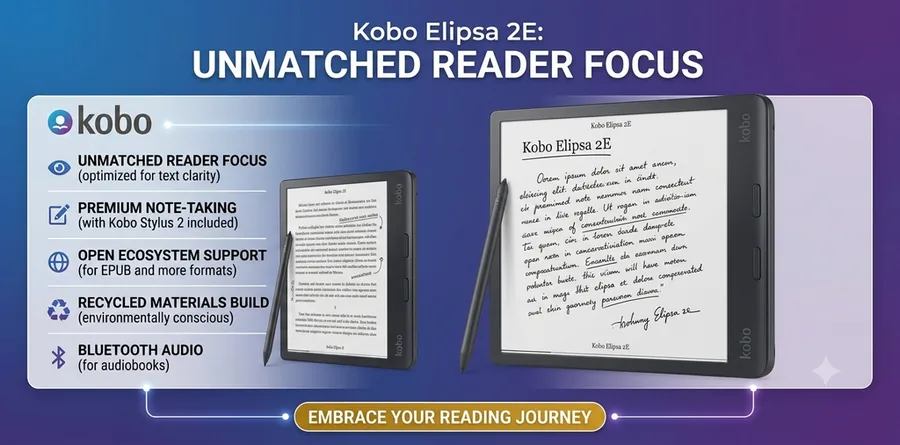
💲 Price: $399.99 (includes Kobo Stylus 2)
🖥️ Display: 10.3-inch E Ink
💾 Storage: 32GB
🎯 Best for: Reading + handwritten notes
The Kobo Elipsa 2E is one of the most direct Kindle Scribe alternatives for readers who want a large screen & handwriting capabilities. Kobo lists it at $399.99 in the U.S. & includes the Kobo Stylus 2. The device has a 10.3-inch E Ink display, 32GB of storage, & support for handwritten notes & PDF & ebook markup.
Its biggest advantage is that it remains fundamentally a reading device. If your day revolves around ebooks, PDFs, highlights, & occasional handwritten notes, that balance may be more useful than buying a writing tablet designed primarily around notes.
Kobo also makes sense for readers interested in moving away from Amazon’s ecosystem. Its U.S. store offers multiple eReader sizes & color & monochrome options, giving readers a wider device ecosystem to consider.
For someone asking, “What is the best Kindle Scribe alternative for reading & notes?”, the Elipsa 2E deserves a place near the top of the list.
✅ Best if
Reading is your priority: ebooks, PDFs, highlights and occasional handwritten notes; you also want to leave Amazon’s ecosystem.
🤔 Think twice if
You want a writing tablet designed primarily around notes.
2
reMarkable Paper Pro: Best for Writing & Notes
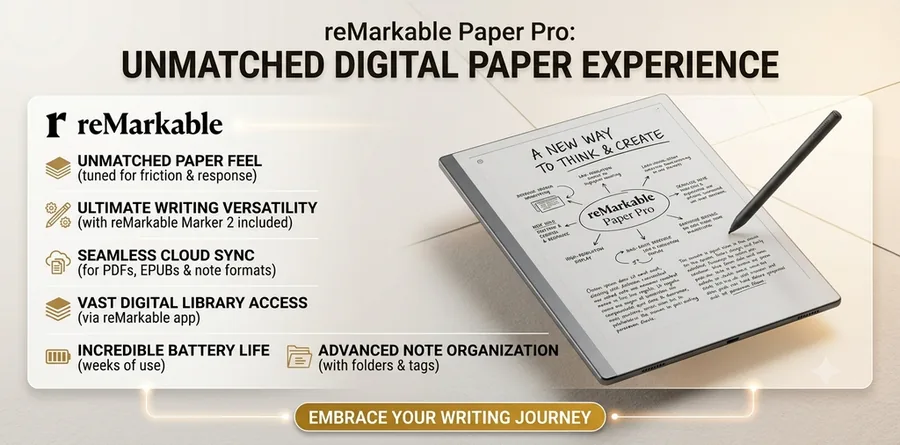
💲 Price: From $629
🖥️ Display: 11.8-inch color
💾 Storage: 64GB
🎯 Best for: Focused writing and distraction-free work
The reMarkable Paper Pro takes a different approach. Rather than trying to become a general-purpose tablet, it focuses heavily on writing, annotation, organization, & distraction-free work.
reMarkable currently lists the Paper Pro from $629. Its specifications include an 11.8-inch color display, 64GB of storage, adjustable reading light, handwriting-to-text conversion, folders, tags, search, & support for PDF & EPUB imports.
That makes it an excellent Kindle Scribe alternative for writers, students, professionals, & heavy note-takers.
Its limitation is also its strength. reMarkable uses a custom operating system designed around focused work rather than offering the broad app ecosystem of an Android tablet.
If you want a device that feels more like a digital notebook than a tablet, that can be exactly what you want.
If you want to install lots of apps, browse the web, or switch between multiple reading platforms, another device may make more sense.
✅ Best if
You’re a writer, student, professional or heavy note-taker who wants a digital notebook feel.
🤔 Think twice if
You want lots of apps, web browsing or several reading platforms on one device.
3
BOOX Note Air5 C: Best for Flexibility
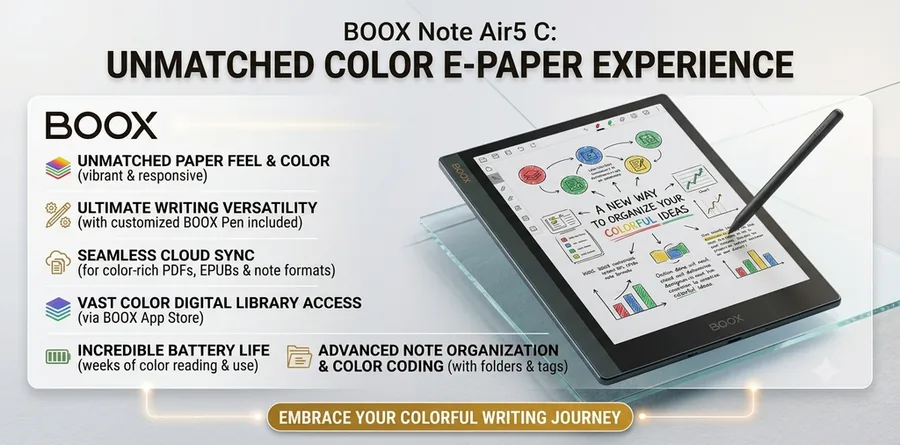
💲 Price: $529.99
🖥️ Display: 10.3-inch color ePaper
🤖 System: Android 15 with Pen3
🎯 Best for: Apps + e-reading + handwriting
The BOOX Note Air5 C is a particularly interesting option for people who don’t want their Kindle Scribe alternative to be locked into one ecosystem. BOOX currently lists the device at $529.99 in its U.S. store, describing it as a 10.3-inch color ePaper notebook with Android 15 support & a Pen3.
The Android approach is important because it gives users access to a broader range of applications than a highly specialized writing tablet.
That can be useful if you want to read Kindle books, access other ebook platforms, use productivity applications, read PDFs, & take handwritten notes from the same device.
The downside is that flexibility can introduce complexity. A focused writing tablet may feel simpler because it intentionally does fewer things.
So BOOX is best for someone who says, “I want my e-ink device to do more,” rather than someone who says, “I want a digital notebook with almost no distractions.”
✅ Best if
You want Kindle books, other ebook platforms, productivity apps, PDFs and handwriting on the same device.
🤔 Think twice if
You want a simple, distraction-free digital notebook; flexibility adds complexity.
Best Kindle Scribe Alternatives Compared
| Device | Best for | U.S. starting price | Screen | Writing | App flexibility | Link |
|---|---|---|---|---|---|---|
| Kobo Elipsa 2E | Reading + notes | $399.99 | 10.3″ E Ink | Yes | Moderate | Check Price |
| reMarkable Paper Pro | Focused writing | $629 | 11.8″ color | Excellent | Low | Check Price |
| BOOX Note Air5 C | Apps + e-reading | $529.99 | 10.3″ color ePaper | Yes | High | Check Price |
| Kobo Sage | Reading + light notes | $269.99 | 8″ E Ink | Yes | Moderate | Check Price |
| iPad | General-purpose use | Model-dependent | LCD/OLED | Yes | Very high | Check Price |
Current manufacturer pricing & specifications can change. Kobo, reMarkable, & BOOX currently publish the prices & specifications cited above on their U.S. stores.
How to Choose the Right Kindle Alternative
Start with the problem you’re trying to solve.
💸 If your problem is “Kindle Unlimited costs too much,” look at Kobo Plus, Libby, Hoopla, & Everand.
📖 If your problem is “I don’t want Amazon’s ebook ecosystem,” look at Kobo.
✍️ If your problem is “I need a large device for reading & handwriting,” compare Kobo Elipsa 2E, reMarkable, & BOOX.
🧩 If your problem is “I need apps as well as reading & handwriting,” BOOX or an iPad may be more appropriate.
This sounds obvious, but it prevents one of the most common mistakes in tech shopping: buying a product because it has the longest list of features instead of buying it because it solves your actual problem.
A heavy reader may prefer an uncomplicated eReader. A university student may need PDF annotation & handwritten notes. A professional may want a distraction-free digital notebook. A power user may want Android apps.
There is no single winner because these products are built around different workflows.
How to Save Money on Digital Books in the U.S.
The cheapest reading strategy isn’t necessarily choosing one subscription & keeping it forever. A combination of library borrowing, subscriptions, sales, & individual purchases can often provide better value.
Start by checking Libby & Hoopla through your local library. If a book is available for free, there’s little reason to pay for it unless you need immediate access.
Next, compare subscription catalogs. Kobo Plus may be cheaper than other paid services, but price alone doesn’t matter if your favorite authors aren’t included. Search for the books you actually want before subscribing.
You can also rotate subscriptions. If you have a large list of books available on one platform, subscribe for a few months, read what you want, & cancel when the value drops. Kobo currently states that its U.S. subscriptions have no commitment & can be canceled anytime.
Finally, consider whether you even need a new device. If you already own a tablet or smartphone, you can use reading apps without purchasing dedicated hardware.
The goal isn’t to find the platform with the biggest library. It’s to build a reading setup that gives you the most books you want for the least money & hassle.
🪙 More Free and Low-Cost Ways to Read
- Project Gutenberg: free public-domain ebooks, no subscription needed.
- BookBub: free email alerts for free and discounted ebooks.
- Library first: check Libby and Hoopla before you buy or subscribe.
Kindle Competitor Crossword: What Is the Answer?
If you’re looking for the “Kindle competitor” crossword clue, the most common four-letter answer is NOOK.
✅ Answer: NOOK
NOOK is the eReader brand associated with Barnes & Noble, making it a natural answer to a crossword clue asking for a Kindle competitor.
This search intent is completely different from someone researching Kindle alternatives for buying purposes. If your crossword grid has four letters & the clue is “Kindle competitor,” NOOK is the answer to check first.
Which Kindle Alternative Is Best for You?
For a U.S. reader focused on lower-cost ebook subscriptions, Kobo Plus Read is one of the strongest options because it currently costs $7.99 per month. Readers who want both ebooks & audiobooks can consider Kobo Plus Read & Listen at $9.99 per month.
For someone who wants to spend as little as possible, Libby & Hoopla should be checked before paying for another service. Your library’s catalog determines what you’ll actually be able to borrow, but the potential savings are significant.
For a reader looking for a Kindle Scribe alternative, the decision is more personal. Kobo Elipsa 2E is a strong reading-first choice, reMarkable Paper Pro is better for focused writing, & BOOX Note Air5 C is better for users who want greater app flexibility.
And for the crossword search, the answer is simple: NOOK.
The best strategy is therefore not to search for one universal Kindle replacement. Instead, identify whether you want a cheaper subscription, free library access, a different eReader, or a better digital notebook, then choose the product or service designed around that need.
Conclusion
The best Kindle Unlimited alternatives for U.S. readers depend on how you consume books. Kobo Plus is one of the strongest direct paid alternatives, with U.S. plans starting at $7.99 per month & a $9.99 Read & Listen plan. Libby & Hoopla are excellent choices for readers who want to use participating public libraries rather than add another monthly subscription.
If you’re looking for a Kindle Scribe alternative, don’t limit your search to traditional eReaders. Kobo Elipsa 2E is a good fit for reading & note-taking, reMarkable Paper Pro focuses on digital writing & distraction-free work, & BOOX provides greater flexibility for people who want apps & an Android-based ePaper experience.
Ultimately, the best choice isn’t necessarily the cheapest product or the device with the most features. It’s the option that gives you the books, tools, & reading experience you actually use.
And if you came here for the Kindle competitor crossword clue, remember the four-letter answer: NOOK.
FAQs
What is the best cheaper alternative to Kindle Unlimited?
Kobo Plus Read is one of the strongest paid alternatives for U.S. readers because its current price is $7.99 per month. If you also want audiobooks, Kobo Plus Read & Listen costs $9.99 per month.
Is Libby better than Kindle Unlimited?
It depends on your reading habits. Libby can be a better value if your public library has the books you want because you borrow them through your library rather than paying for a separate commercial subscription. Popular books may have waitlists, however.
What is the best Kindle Scribe alternative?
There isn’t one universal winner. Kobo Elipsa 2E is a strong reader-focused option, reMarkable Paper Pro is better for focused writing & notes, & BOOX Note Air5 C is attractive if you want Android apps & broader flexibility.
What is the Kindle competitor crossword answer?
The most common four-letter answer is NOOK, the Barnes & Noble eReader brand.
Is Kobo cheaper than Kindle Unlimited?
Kobo Plus Read currently costs $7.99 per month in the U.S., making it a lower-priced paid alternative to a subscription that costs more. However, you should compare the actual books included in each service before deciding because subscription catalogs differ.
How much does Kindle Unlimited cost?
Kindle Unlimited costs $11.99 per month in the U.S. New members are often offered a free trial, typically 30 days. Check Amazon for current offers.
Can I read Libby books on a Kindle?
Yes, in the U.S. After borrowing a book in Libby, tap “Read With…”, choose Kindle, and sign in to Amazon to finish sending it. Availability depends on the title and your library.
Is Prime Reading the same as Kindle Unlimited?
No. Prime Reading is a smaller rotating selection included with Amazon Prime. Kindle Unlimited is a separate paid subscription with a much larger catalog.
Is Hoopla free?
Hoopla is free to use if your public library participates. You sign in with your library card, and what you can borrow depends on your library’s catalog.
Can I cancel Kobo Plus anytime?
Kobo states that its U.S. subscriptions have no commitment and can be canceled anytime.
Is Everand cheaper than Kindle Unlimited?
Not necessarily. Everand plans start at $11.99 per month in the U.S., and premium titles use monthly unlocks. Kobo Plus Read at $7.99 per month is the cheaper paid option.
