
Best Gaming Microphones in 2026: 7 Top Picks for Gaming, Streaming, and Discord
⚡ Quick Answer
The Shure MV6 is our top recommendation for the best gaming mic if you want a straightforward USB microphone with automatic voice processing. The NZXT Capsule Elite is a compelling alternative for buyers looking to spend under $100, while the Shure MV7+ is the better microphone for streaming if you need both USB and XLR connectivity.
A great gaming setup deserves more than good graphics and a fast refresh rate. Your microphone matters, too. Choosing the best gaming mic is one of the easiest ways to make your voice clearer in every match.
Imagine playing Call of Duty with your squad. You’re trying to call out an enemy’s location, but your teammates hear your mechanical keyboard instead. Or perhaps you’ve spent hours recording gameplay for YouTube, only to discover that your commentary sounds muffled.
A dedicated gaming microphone can make a noticeable difference.
But here’s where shopping gets confusing.
Do you really need a $250 microphone for Discord? Is a $90 USB mic good enough for Twitch? And are expensive XLR microphones actually better than affordable USB alternatives?
The answer depends on how you game, what you record, and how much you’re willing to spend.
We’ve compared seven of the best gaming microphones available to US buyers, looking at their specifications, useful features, setup requirements, and overall value.
Whether you’re upgrading from a basic gaming headset or building your first streaming setup, this guide will help you find the best gaming mic or the right microphone for streaming for your budget.
Best Gaming Microphones in 2026: Quick Comparison
Don’t have time to read every review? Here’s how the seven best gaming microphones compare.
| # | Gaming Microphone | Best For | Connection | Price Information | Our Verdict | Link |
|---|---|---|---|---|---|---|
| 1 | Shure MV6 | Best gaming mic overall | USB-C | Check current price | Strong choice for gaming and Discord | Check Price |
| 2 | Basics USB Condenser Mic | Budget gaming | USB | Verify current listing | Worth considering for first-time buyers | Check Price |
| 3 | NZXT Capsule Elite | Best value under $100 | USB | $89.99 listed by NZXT | Good balance of features and price | Check Price |
| 4 | Sennheiser Profile Streaming Set | Beginner streaming setups | USB-C | $219 manufacturer listing | Convenient microphone and boom arm bundle | Check Price |
| 5 | Shure MV7+ | Premium microphone for streaming and podcasting | USB-C/XLR | Launched from $279 | Flexible upgrade path | Check Price |
| 6 | SteelSeries Alias Pro | Advanced streamers | XLR with mixer | Check current price | Best suited to complex streaming setups | Check Price |
| 7 | Audio-Technica ATH-M50xSTS | Gaming headset alternative | USB or XLR version | $219 for XLR model at Sweetwater | Useful all-in-one alternative | Check Price |
Prices shown are verified listing or historical reference prices, not guaranteed checkout prices. Taxes, promotions, shipping, and product configurations may affect the final cost.
Our Top Three Recommendations
🥇
Best overall: Shure MV6
Choose this if you want the best gaming mic with USB connectivity and automatic voice-processing features.
🥈
Best value: NZXT Capsule Elite
A practical option for PC gamers who want a dedicated microphone without spending hundreds of dollars.
🥉
Best premium option: Shure MV7+
Worth considering if you stream regularly, record podcasts, or plan to upgrade to an XLR audio interface.
7 Best Gaming Microphones Reviewed
1
Shure MV6: Best Gaming Mic Overall
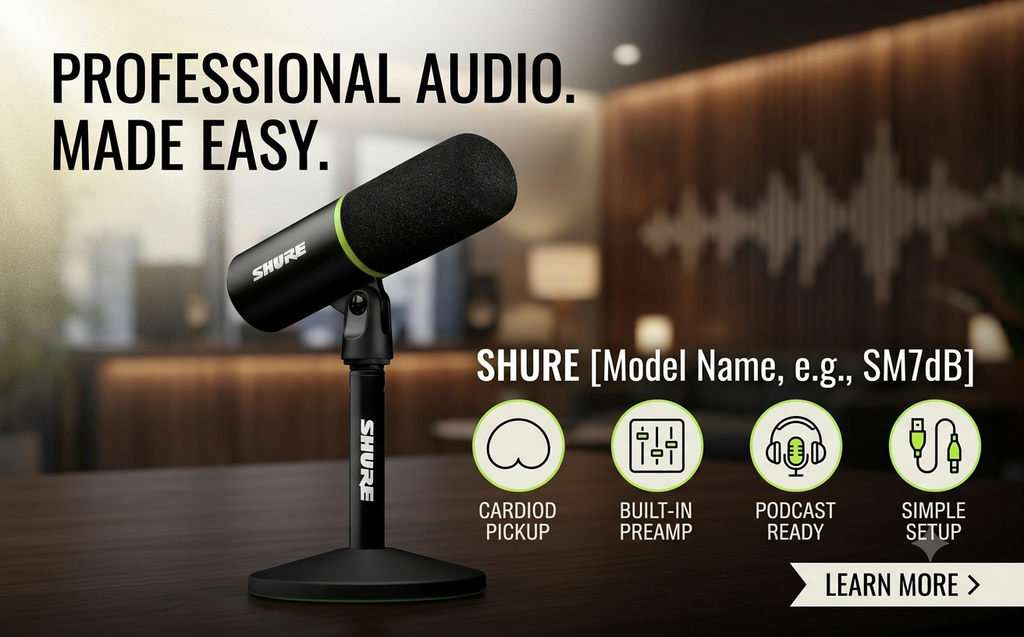
🎯 Best for: PC gamers, Discord users, and beginner streamers.
🔌 Connection: USB-C
⭐ Our verdict: One of the most sensible upgrades for gamers moving beyond a headset microphone.
🛒 Check current US price: Shure MV6
Why We Recommend the Shure MV6
The Shure MV6 stands out because it focuses on something gamers actually need: making their voices easier to hear without requiring complicated audio equipment.
Many gaming microphones offer impressive specifications but leave beginners struggling with gain settings, background noise, and software configuration.
The MV6 takes a more accessible approach.
Its automatic level adjustment responds to changes in speaking volume and microphone distance. That can be particularly helpful during multiplayer matches when you alternate between normal conversation and louder callouts.
Shure also includes a real-time denoiser, Digital Popper Stopper technology, and a tap-to-mute control.
These features make the MV6 appealing for everyday gaming.
What Makes It Worth Buying?
Automatic gain adjustment
You don’t always speak at the same volume while gaming.
One minute you’re talking normally. The next, you’re shouting because an enemy appeared behind your teammate.
Automatic level adjustment helps manage those changes without constant manual intervention.
Background noise processing
The MV6 includes digital noise-reduction features designed to reduce unwanted background sounds.
This can help with keyboard noise and computer fans, although microphone positioning still matters.
Simple USB connectivity
You don’t need to purchase an external audio interface to get started.
Connect the microphone to a compatible computer, configure the input, and you’re ready to begin.
Headphone monitoring
The 3.5 mm headphone connection allows you to monitor microphone audio and identify recording problems.
👍 Pros
- Straightforward USB-C connection.
- Automatic gain adjustment.
- Built-in noise-processing features.
- Convenient tap-to-mute control.
- Suitable for Discord, gaming, and everyday streaming.
🤔 Cons
- No XLR connection.
- Software processing cannot eliminate every background sound.
- Less flexible than a hybrid USB/XLR microphone.
✅ Who Should Buy It?
The Shure MV6 makes sense if you’re upgrading from a gaming headset and want clearer voice communication without investing in professional recording equipment.
It’s particularly appealing for gamers who regularly use Discord, stream occasionally, or record gameplay commentary.
🚫 Who Should Skip It?
If you already own an audio interface and want an XLR microphone, consider the Shure MV7+ instead.
🏁 Final Buying Verdict
The Shure MV6 is our pick for the best gaming mic for everyday gaming.
It offers a useful combination of simplicity, gaming-focused processing, and dedicated microphone controls.
For most PC gamers, that combination is more valuable than paying extra for professional features they may never use.
2
Amazon Basics USB Condenser Mic: Best Budget Gaming Microphone
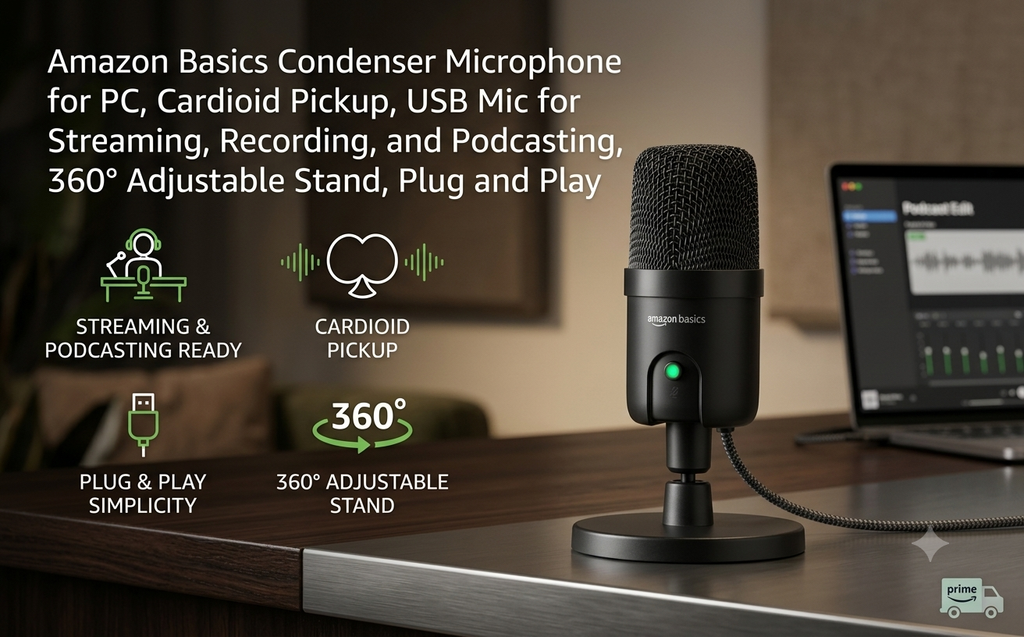
🎯 Best for: Casual gamers, students, and first-time microphone buyers.
🔌 Connection: USB
⭐ Our verdict: A budget option worth comparing if your main goal is better voice communication.
🛒 Check current US price: Basics USB Microphones
Why Consider the Amazon Basics USB Condenser Mic?
Not everyone needs a microphone designed for professional streaming.
If you mostly play Fortnite, Valorant, Minecraft, or Call of Duty with friends, your priorities are probably simple.
You want your teammates to hear you.
You want an easy setup.
And you don’t want to spend $200 just to improve Discord calls.
That’s where an entry-level USB condenser microphone becomes appealing.
The Amazon Basics option mentioned in our original shortlist is worth investigating for buyers with limited budgets.
However, Amazon Basics sells different audio products, and exact specifications can vary by listing. Confirm the model before purchasing.
What Makes It Worth Considering?
Affordable entry point
Budget USB microphones can be a reasonable first upgrade from a poor-quality laptop or headset microphone.
Simple connection
A compatible USB microphone generally connects directly to your PC without requiring an audio interface.
Useful for multiple activities
Beyond gaming, an entry-level microphone can also serve for online classes, video meetings, and casual content creation.
What Are the Trade-Offs?
An inexpensive condenser microphone may pick up keyboard clicks, room reflections, and nearby computer fans.
Placement becomes particularly important.
If the microphone sits several feet away from your mouth, raising the gain can make unwanted sounds more noticeable.
You may also get fewer onboard controls and fewer software features than with more expensive alternatives.
👍 Pros
- Budget-friendly category.
- Simple USB setup.
- Suitable for casual voice chat.
- Reasonable starting point for first-time buyers.
🤔 Cons
- Exact features depend on the model.
- May capture noticeable background noise.
- Limited advanced controls compared with premium microphones.
- Product identification requires care.
✅ Who Should Buy It?
Choose this category if you want a basic standalone microphone for Discord, casual gaming, or online communication.
🚫 Who Should Skip It?
If you stream regularly or need more advanced audio processing, the NZXT Capsule Elite or Shure MV6 may be better long-term purchases.
🏁 Final Buying Verdict
A budget USB microphone is a sensible starting point when your needs are basic.
Before ordering, compare the exact Amazon Basics listing with other similarly priced USB microphones.
Don’t buy solely because the price looks attractive. Check the microphone’s pickup pattern, included stand, mute controls, and customer feedback.
3
NZXT Capsule Elite: Best Gaming Microphone Under $100
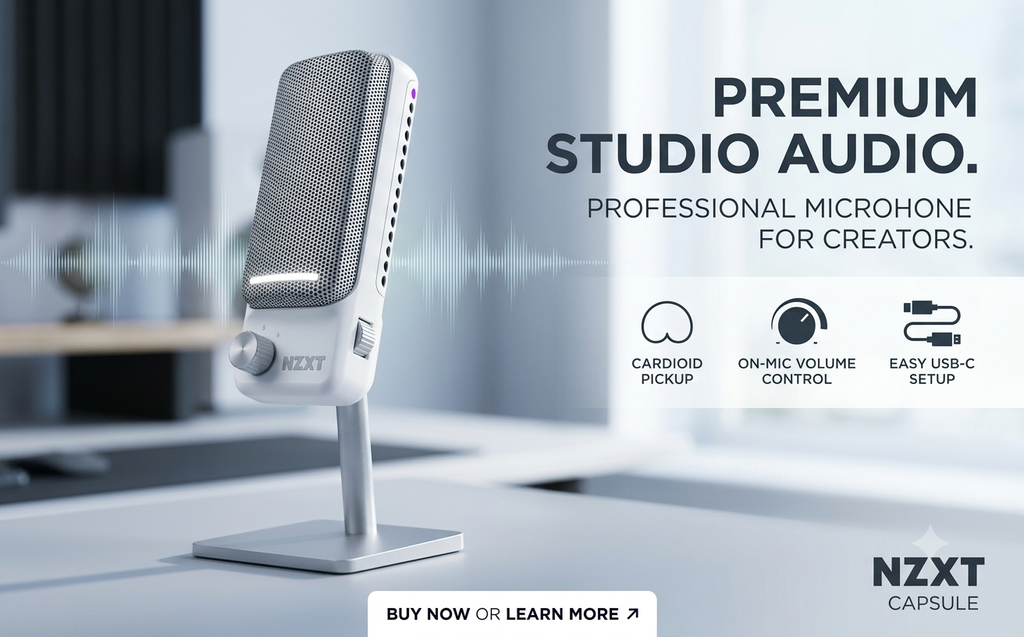
🎯 Best for: PC gamers looking for a balance of features, design, and affordability.
🔌 Connection: USB
💲 Manufacturer-listed price: From $89.99
⭐ Our verdict: One of the most attractive choices for buyers shopping around the $100 mark.
🛒 Check current US price: NZXT Capsule Elite
Why We Recommend the NZXT Capsule Elite
You don’t need to spend $250 to find one of the best gaming microphones.
The NZXT Capsule Elite is aimed at gamers who want a more capable desktop microphone while keeping their budget under control.
At its listed $89.99 price, it competes in an interesting category.
It’s more expensive than entry-level USB microphones but substantially less costly than many premium streaming models.
That makes it worth considering for someone building a midrange gaming setup.
What Makes It Worth Buying?
Gaming-focused design
The Capsule Elite is designed to fit into a modern PC gaming setup.
Its adjustable positioning makes it practical for desktop use.
Included desktop stand
The microphone includes a stand, allowing you to get started without immediately buying additional mounting equipment.
USB connectivity
It offers a straightforward connection for compatible systems.
Flexible positioning
The microphone’s adjustable design can help you position it closer to your mouth.
This matters more than many beginners realize.
A properly positioned microphone can deliver a more useful recording than a poorly placed, more expensive model.
👍 Pros
- Manufacturer-listed price under $100.
- Dedicated USB microphone.
- Desktop stand included.
- Adjustable positioning.
- Suitable for everyday PC gaming.
🤔 Cons
- Not designed around XLR studio workflows.
- Desktop placement may pick up vibrations.
- Buyers seeking advanced audio routing may need additional equipment.
✅ Who Should Buy It?
The NZXT Capsule Elite is a good candidate if you’re upgrading your gaming setup and want to stay below $100.
It’s particularly worth comparing with the Shure MV6.
🚫 Who Should Skip It?
If automatic gain processing and integrated voice-enhancement features are your highest priorities, compare the MV6 before deciding.
🏁 Final Buying Verdict
The NZXT Capsule Elite is our value recommendation for gamers shopping under $100.
Its combination of a dedicated microphone, included stand, and accessible price makes it worth serious consideration.
4
Sennheiser Profile Streaming Set: Best Microphone Bundle for Beginners
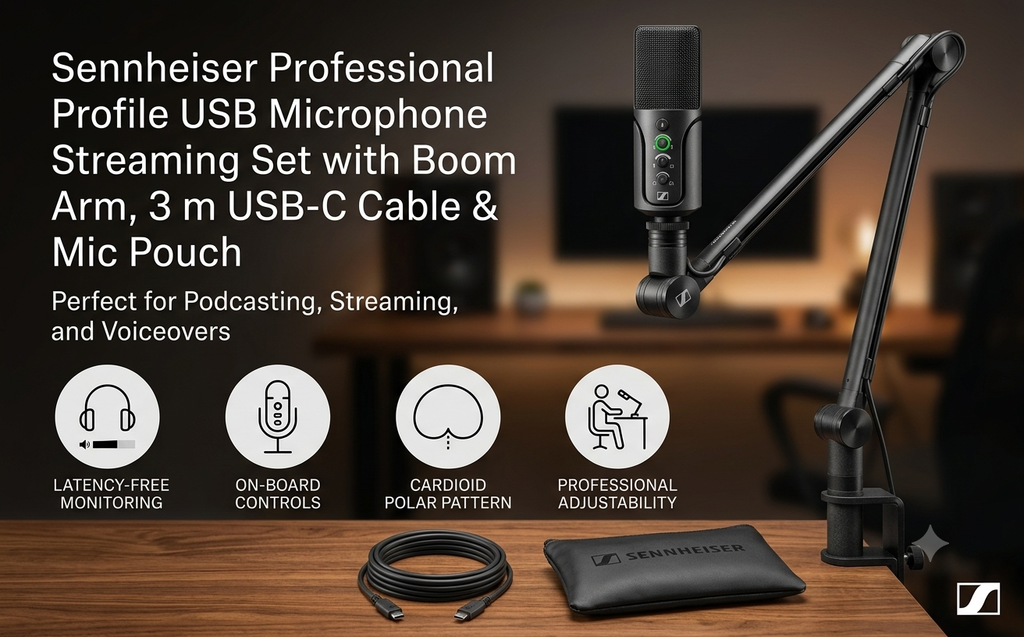
🎯 Best for: New Twitch streamers, YouTube creators, and home recording setups.
🔌 Connection: USB-C
💲 Manufacturer-listed price: From $219
⭐ Our verdict: A convenient option if you want a microphone and boom arm together.
🛒 Check current US price: Sennheiser Profile Streaming Set
Why We Recommend the Sennheiser Profile Streaming Set
One of the most overlooked costs of buying a microphone is everything that comes afterward.
You buy the microphone.
Then you realize you need a boom arm.
After that, you start comparing cables, mounts, and desk clamps.
The Sennheiser Profile Streaming Set reduces some of that shopping.
It combines a USB-C condenser microphone with a boom arm and supporting accessories.
For someone choosing their first microphone for streaming, that convenience can be worth paying for.
What Makes It Worth Buying?
Boom arm included
A boom arm lets you position the microphone closer to your mouth while keeping the desk area more organized.
This can be especially useful if you use a large gaming mousepad or multiple monitors.
Built-in controls
The microphone includes gain, mix, and headphone volume controls.
These are useful when adjusting your voice level or monitoring recordings.
Cardioid pickup pattern
The microphone is designed to emphasize sounds arriving from the front.
It won’t eliminate room noise, but sensible positioning can help improve the balance between your voice and surrounding sounds.
No complicated setup
The USB-C connection makes it accessible to beginners.
👍 Pros
- Microphone and boom arm included.
- Convenient onboard controls.
- USB-C connectivity.
- Direct headphone monitoring.
- Suitable for streaming, podcasting, and voiceovers.
🤔 Cons
- More expensive than basic USB microphones.
- Boom arm compatibility depends on your desk.
- No XLR output.
- Buyers who already own a boom arm may get less value from the bundle.
✅ Who Should Buy It?
The Sennheiser Profile Streaming Set is worth considering if you’re building a streaming setup from scratch.
It’s especially appealing when you want to avoid shopping for mounting accessories separately.
🚫 Who Should Skip It?
If you already have a compatible boom arm, compare standalone microphones before paying for a complete bundle.
🏁 Final Buying Verdict
The Sennheiser Profile Streaming Set is a convenient starter package and a solid microphone for streaming.
Its biggest selling point isn’t simply the microphone. It’s the complete setup.
For first-time streamers, that convenience may justify the higher price.
5
Shure MV7+: Best Premium Gaming Microphone for Streaming
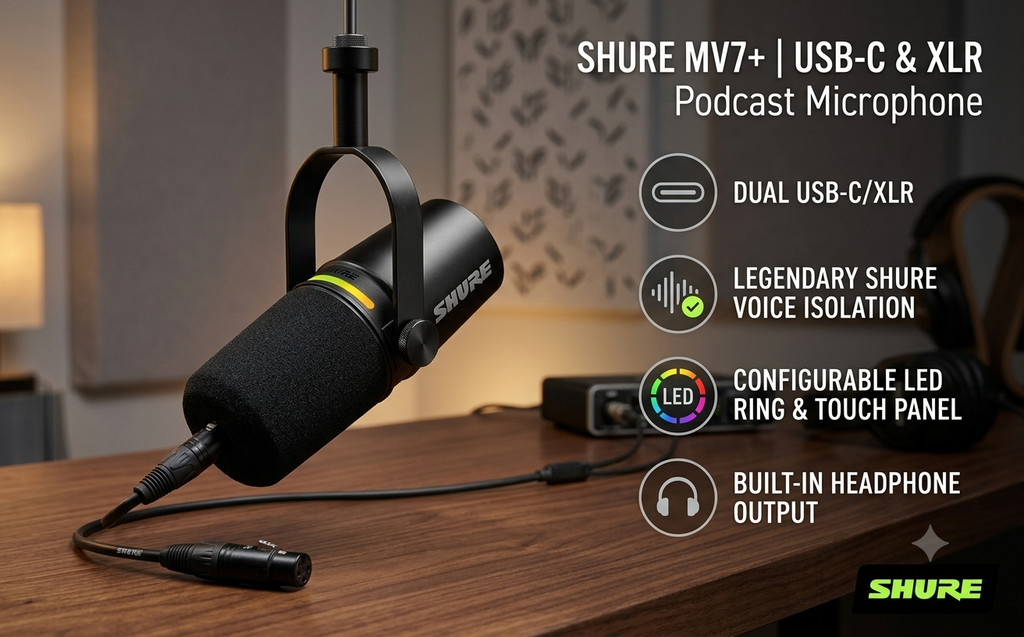
🎯 Best for: Serious Twitch streamers, podcasters, and YouTube creators.
🔌 Connection: USB-C and XLR
💲 Original US launch price: From $279
⭐ Our verdict: A strong premium option for creators who need flexibility beyond ordinary gaming.
🛒 Check current US price: Shure MV7+
Is the Shure MV7+ Worth the Money?
If you only use Discord for a few hours each week, probably not.
But if you regularly record podcasts, stream on Twitch, or produce YouTube videos, the Shure MV7+ becomes a much more interesting microphone for streaming.
Unlike a basic USB gaming microphone, the MV7+ supports both USB-C and XLR connections.
That gives you more flexibility as your recording setup develops.
You can start by connecting it directly to your computer.
Later, if you purchase an audio interface or mixer, you can use its XLR output.
What Makes It Worth Buying?
USB-C and XLR connectivity
This is the biggest reason to consider the MV7+ over the MV6.
You can use USB for convenience and XLR for a compatible external audio setup.
Dynamic microphone design
The MV7+ is designed for close voice recording.
When positioned correctly, its directional pickup can be useful in rooms that aren’t acoustically treated.
Voice processing
Shure includes automatic level adjustment, a real-time denoiser, and other digital processing features.
Customizable LED touch panel
The LED panel provides visual feedback and supports touch muting.
Headphone monitoring
A built-in headphone connection lets you listen to your microphone audio.
👍 Pros
- USB-C and XLR connections.
- Dynamic microphone design.
- Built-in voice-processing features.
- Suitable for gaming, podcasting, and streaming.
- Flexible upgrade path.
🤔 Cons
- Premium price.
- XLR use requires compatible external hardware.
- Some buyers may need a separate stand or boom arm.
- More microphone than casual Discord users need.
✅ Who Should Buy It?
The MV7+ is best suited to gamers who also create content.
If you regularly publish gameplay videos, host podcasts, or stream several times per week, its additional capabilities may justify the investment.
🚫 Who Should Skip It?
If your only goal is clearer communication during multiplayer games, save money and consider the Shure MV6.
🏁 Final Buying Verdict
The Shure MV7+ is our premium choice for gamers who want a microphone for streaming and take content creation seriously.
Its USB/XLR flexibility makes it a more adaptable long-term purchase than a basic USB microphone.
However, you should budget for any additional mounting or audio equipment you need.
6
SteelSeries Alias Pro: Best for Advanced Streaming Setups
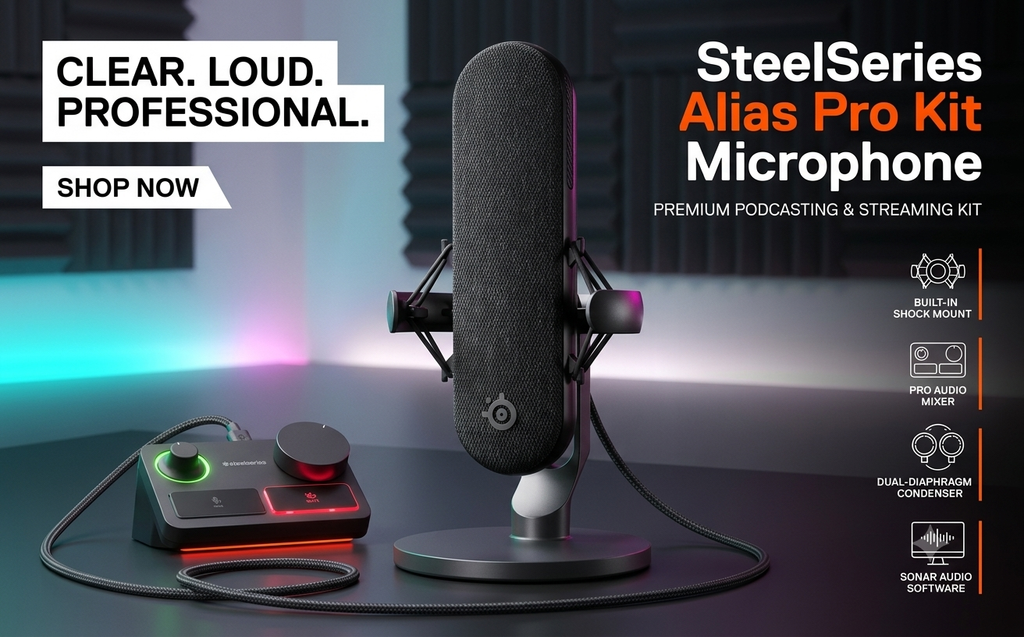
🎯 Best for: Experienced streamers managing multiple audio sources.
🔌 Connection: XLR microphone with dedicated mixer.
💲 Price: Check current US listing.
⭐ Our verdict: A specialized streaming system rather than a simple gaming microphone.
🛒 Check current US price: SteelSeries Alias Pro
Why Consider the SteelSeries Alias Pro?
Streaming becomes more complicated when you’re managing several audio sources.
You might have game audio, Discord conversations, background music, microphone input, and streaming software running simultaneously.
Adjusting all those levels through different software menus can become frustrating.
The SteelSeries Alias Pro approaches the problem differently.
Instead of offering only a standalone microphone, it combines an XLR microphone with a dedicated streaming mixer.
This makes it particularly relevant to established content creators.
What Makes It Worth Buying?
Dedicated streaming mixer
Physical controls can make audio adjustments easier during live broadcasts.
XLR microphone
The microphone connects through the included streaming system rather than functioning as an ordinary standalone USB microphone.
Audio routing capabilities
SteelSeries software supports organizing different audio sources.
This can help streamers manage game, chat, media, and other audio independently.
Dual-PC capability
The Alias Pro supports configurations intended for more advanced streaming environments.
👍 Pros
- Dedicated mixer included.
- Designed for streaming workflows.
- Advanced audio routing options.
- XLR microphone system.
- Suitable for more complicated production setups.
🤔 Cons
- More complicated than USB alternatives.
- Higher overall investment.
- Requires time to configure.
- Excessive for ordinary Discord conversations.
✅ Who Should Buy It?
Choose the SteelSeries Alias Pro if you’re already streaming regularly and want more hands-on control over audio sources.
It’s particularly relevant if your existing audio setup has become difficult to manage.
🚫 Who Should Skip It?
If you’re starting your first Twitch channel, you probably don’t need this much equipment.
A simpler USB microphone may be the better investment.
🏁 Final Buying Verdict
The SteelSeries Alias Pro is best suited to streamers who need dedicated audio management.
You’re paying for a complete workflow, not simply a microphone.
That distinction matters.
If you won’t use the mixer or advanced routing features, the additional cost is difficult to justify.
7
Audio-Technica ATH-M50xSTS StreamSet: Best Gaming Headset Microphone
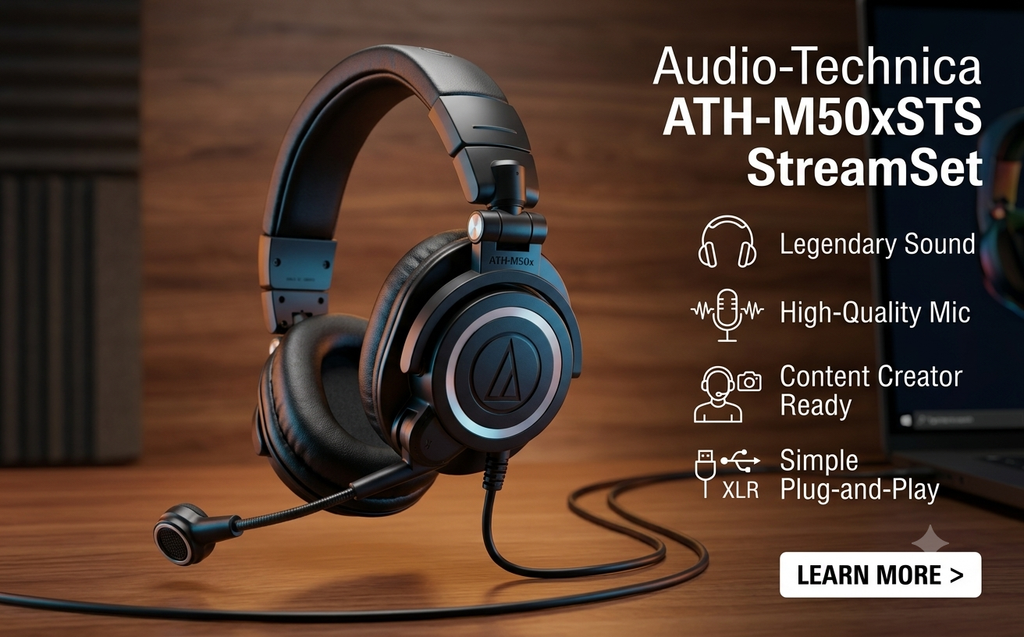
🎯 Best for: Gamers and streamers who prefer a headset over a desktop microphone.
🔌 Connection: USB or XLR, depending on the model.
💲 US price reference: $219 for the XLR version at Sweetwater.
⭐ Our verdict: A useful alternative for buyers who want headphones and a microphone in one device.
🛒 Check current US price: Audio-Technica ATH-M50xSTS at Sweetwater
Why Consider the Audio-Technica ATH-M50xSTS?
Not every gamer wants a microphone sitting on their desk.
A separate microphone can take up space, interfere with your monitor setup, or require an additional boom arm.
If you prefer keeping things simple, the Audio-Technica ATH-M50xSTS StreamSet offers another approach.
It combines over-ear headphones with a boom microphone.
That makes it appealing to gamers who want a dedicated voice microphone without adding another desktop accessory.
What Makes It Worth Buying?
Headphones and microphone together
You don’t need to find space for a separate desktop microphone.
Consistent microphone positioning
Because the microphone moves with your head, its distance from your mouth can remain relatively consistent.
Designed for streaming
The StreamSet is intended for users who need both headphone monitoring and voice capture.
Multiple connection options
Audio-Technica offers USB and XLR configurations.
Be careful when ordering because their connection requirements differ.
👍 Pros
- Headphones and microphone combined.
- No separate desktop stand required.
- Convenient for long gaming sessions.
- USB and XLR variants available.
- Suitable for streaming and communication.
🤔 Cons
- May be unnecessary if you already own good headphones.
- XLR version requires compatible audio equipment.
- Less flexibility in microphone placement than a standalone mic.
- Headset comfort is subjective.
✅ Who Should Buy It?
The StreamSet is worth considering if you need both headphones and a microphone.
It may also suit gamers with limited desk space.
🚫 Who Should Skip It?
If you already own high-quality gaming headphones, purchasing a separate USB microphone may provide better value.
🏁 Final Buying Verdict
The Audio-Technica ATH-M50xSTS is our preferred headset-style alternative among these seven options.
Its main appeal is convenience.
Just make sure you choose the correct USB or XLR configuration for your setup.
Which Gaming Microphone Should You Actually Buy?
After comparing the seven best gaming microphones, here’s how we’d narrow down the decision.
| Your Situation | Our Recommendation | Why |
|---|---|---|
| You mainly play multiplayer games | Shure MV6 | Simple setup and gaming-focused voice processing |
| You want to spend under $100 | NZXT Capsule Elite | Good value at its listed price |
| You’re shopping on a very limited budget | Amazon Basics USB Condenser Mic | Affordable entry-level category |
| You need a microphone for streaming on Twitch | Sennheiser Profile Streaming Set | Boom arm and microphone together |
| You create YouTube videos and podcasts | Shure MV7+ | USB/XLR flexibility |
| You manage complex livestream audio | SteelSeries Alias Pro | Dedicated mixer and audio routing |
| You don’t want a desktop microphone | Audio-Technica ATH-M50xSTS | Headphones and microphone combined |
🏆 Best for Most Gamers: Shure MV6
For everyday PC gaming, the Shure MV6 is the best gaming mic for most people, thanks to a practical balance of features and convenience.
It focuses on voice communication, which is what most gamers actually need.
🏆 Best Value Under $100: NZXT Capsule Elite
If your budget is around $100, the NZXT Capsule Elite deserves a place on your shortlist of the best gaming microphones.
It offers a dedicated USB microphone without requiring a premium-level investment.
🏆 Best for Serious Content Creators: Shure MV7+
If you’re looking for a long-term microphone for streaming or podcasting, the MV7+ offers more flexibility.
Its USB and XLR connections are particularly useful if you expect your recording equipment to evolve.
USB vs. XLR Gaming Microphones: Which Is Better?
For most gamers, a USB microphone is the easier choice, and many of the best gaming microphones use USB.
USB microphones connect directly to compatible computers, making them convenient for Discord, multiplayer gaming, and beginner streaming.
XLR microphones usually require an external audio interface or mixer.
That adds cost, but it can also provide greater flexibility for recording and live production.
| Feature | USB Microphone | XLR Microphone |
|---|---|---|
| Setup | Usually straightforward | Requires additional equipment |
| Best for | Gaming and beginner streaming | Advanced recording and streaming |
| Additional hardware | Usually unnecessary | Audio interface or mixer |
| Upgrade flexibility | Depends on model | Often more flexible |
| Overall cost | Often lower | Can be higher |
| Beginner-friendly | Yes | Less convenient |
💡 Our recommendation: Start with USB unless you have a specific reason to use XLR.
You don’t need a complicated audio interface just to sound clearer during multiplayer games.
What to Look for When Buying a Gaming Microphone
1 Microphone Type
Dynamic microphones are often useful for close-up speech recording, particularly in rooms without acoustic treatment.
Condenser microphones can capture detailed sound, but their performance still depends on placement and the surrounding environment.
Neither design automatically eliminates background noise.
2 Pickup Pattern
For solo gaming, a cardioid pickup pattern is usually worth considering, whether you’re choosing the best gaming mic or a microphone for streaming.
It emphasizes sound arriving from the front of the microphone.
However, nearby keyboard noise can still be audible.
3 Background Noise Control
If you use a mechanical keyboard or have a noisy PC, look for microphones with useful noise-processing options.
Automatic gain control and noise suppression can help, but microphone placement remains important.
4 USB or XLR Connectivity
USB is usually the most convenient option for everyday gaming.
XLR becomes more attractive when you’re building a recording system around a mixer or audio interface.
5 Mute Button
A physical mute button is a small feature that can make a big difference.
It allows you to silence your microphone quickly without switching applications.
6 Boom Arm Compatibility
A boom arm can help position your microphone closer to your mouth.
Before buying, check mounting compatibility and whether the clamp fits your desk.
7 Total Setup Cost
Don’t compare the best gaming microphones based only on their advertised prices.
Consider whether you’ll also need:
- A boom arm or desktop stand.
- Additional USB or XLR cables.
- An audio interface.
- A pop filter or windscreen.
- Headphones for monitoring.
A microphone that looks affordable initially may become more expensive once accessories are included.
How to Make Your Gaming Microphone Sound Better
Before spending money on one of the best gaming microphones, try improving your existing setup.
1 Move Your Microphone Closer
A microphone positioned too far away may capture more room noise relative to your voice.
Moving it closer can improve voice clarity.
2 Adjust the Gain
If your microphone sounds distorted, the input level may be too high.
Record yourself speaking normally and making louder gaming callouts.
Adjust the gain until both remain intelligible.
3 Reduce Keyboard Noise
Avoid positioning your microphone directly beside a mechanical keyboard.
If possible, use a boom arm to bring the microphone closer to your mouth.
4 Use Noise Suppression Carefully
Noise-reduction software can help with background sounds.
However, aggressive processing may make your voice sound unnatural.
Start with moderate settings and compare recordings.
5 Record a Short Test
Before going live on Twitch or recording a long YouTube video, make a short audio recording.
Listen for keyboard clicks, room echo, clipping, and inconsistent volume.
A few minutes of testing can save hours of frustration.
Frequently Asked Questions About Gaming Microphones
What are the best gaming microphones in 2026?
The Shure MV6 is our top recommendation for everyday PC gaming because of its USB connectivity and gaming-focused voice processing. For buyers shopping under $100, the NZXT Capsule Elite is worth considering. Serious content creators may prefer the Shure MV7+ as a microphone for streaming because of its USB/XLR flexibility.
What is the best gaming mic on a budget?
The NZXT Capsule Elite is a strong option for buyers with a budget of around $100. If you’re spending significantly less, compare entry-level USB microphones, including compatible Amazon Basics models.
Which is the best gaming mic for Discord?
The Shure MV6 is our pick because its automatic level adjustment and tap-to-mute control suit voice chat. The NZXT Capsule Elite is a good alternative if you want to stay under $100.
Is a $100 microphone good enough for gaming?
Yes. A well-positioned USB microphone around $100 can be sufficient for Discord, multiplayer gaming, and beginner streaming. Microphone placement and input settings often matter more than paying for advanced features.
Are USB microphones good for Twitch streaming?
Yes. USB microphones are suitable for many Twitch streamers because they connect directly to compatible computers. An XLR microphone becomes more useful when you need additional recording hardware or more complex audio routing.
What is the best microphone for streaming?
For most streamers, the Shure MV7+ is our top choice thanks to its USB-C and XLR connections. The Sennheiser Profile Streaming Set is a convenient microphone for streaming if you also need a boom arm, and beginners on a tighter budget can start with the NZXT Capsule Elite.
Is a dynamic microphone better for gaming?
A dynamic microphone can work well for close voice recording in an untreated room. However, condenser microphones can also perform well. The better choice depends on your environment, placement, and recording preferences.
Do gaming microphones work with PS5 and Xbox?
Compatibility varies by model and connection method. A USB microphone that works with Windows does not automatically work with every gaming console. Check the manufacturer’s console compatibility information before purchasing.
Do I need a boom arm for my gaming microphone?
No. A desktop stand can work perfectly well. However, a boom arm may make positioning easier and help keep your desk clear.
Is the Shure MV7+ worth buying over the MV6?
The MV7+ is worth considering if you need XLR connectivity or regularly produce podcasts and streaming content. If you mainly play games and use Discord, the MV6 may offer better value.
Can a gaming microphone reduce mechanical keyboard noise?
Some microphones include digital noise-reduction features that can help reduce keyboard sounds. However, no microphone completely eliminates unwanted noise in every environment. Positioning and software settings remain important.
Should I buy a microphone or a gaming headset?
If you already own good headphones, a standalone microphone may be the more economical upgrade. If you need both headphones and voice capture, a headset such as the Audio-Technica ATH-M50xSTS may be more convenient.
Final Verdict: Which Gaming Microphone Is Worth Buying in 2026?
You don’t need the most expensive microphone to sound good while gaming, and the best gaming microphones aren’t always the priciest.
You need one that fits your setup, captures your voice clearly, and provides the features you’ll actually use.
For most PC gamers, the Shure MV6 is our top recommendation and the best gaming mic on this list. Its straightforward USB connection and voice-processing features make it particularly suitable for Discord and everyday gaming.
If you’re trying to stay under $100, the NZXT Capsule Elite offers compelling value at its manufacturer-listed price.
For creators who stream regularly, record podcasts, or plan to expand their audio equipment, the Shure MV7+ offers greater flexibility through its USB and XLR connections, making it a strong microphone for streaming.
The Sennheiser Profile Streaming Set is worth considering if you want a complete microphone-and-boom-arm package. The SteelSeries Alias Pro makes more sense for advanced streamers, while the Audio-Technica ATH-M50xSTS provides a headset-based alternative.
Before making your final purchase, compare current US prices, check the included accessories, and confirm compatibility with your computer or console.
Our final buying advice: Don’t pay extra for features you won’t use. A properly positioned microphone that fits your needs is a better investment than an expensive model chosen solely for its specifications.
